

Relationship Documentor Plugin
Announcing the Relationship Documentor Plugin for Dynamics 365 / Dataverse
I’m happy to share that I have officially launched my first XrmToolBox plugin — Relationship Documentor.
This plugin helps Dynamics 365 / Dataverse Functional Consultants, Business Analyst, Product Owners, Administrators and Tech Roles, quickly extract and document table relationships across an environment or solution.
Building this tool took a lot of effort, thinking, and experimentation. The idea came from a real problem: documenting relationships across many tables can be extremely time-consuming when done manually.
Thankfully, with the help of AI tools and a lot of persistence, I was able to design and build this plugin and bring the idea to life.
🔎 What Relationship Documentor Does
The plugin allows you to:
• Load tables from an environment or a specific solution
• View 1:N, N:1, and N:N relationships in one place
• Browse relationships table-by-table
• Export relationships into Excel documentation
This makes it much easier to:
- Document environments
- Understand complex data models
- Support migrations and audits
- Share architecture documentation with teams
⚙️ How to Use the Plugin
Follow these simple steps.
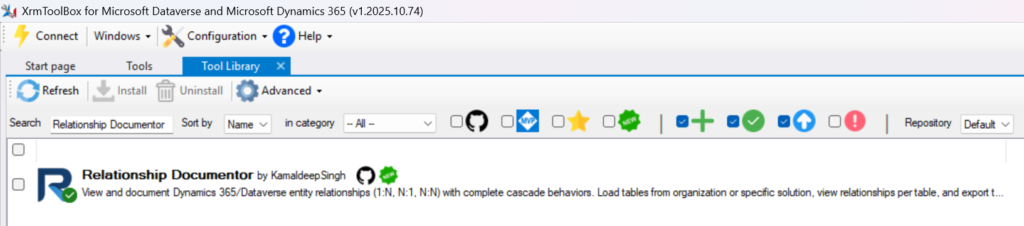
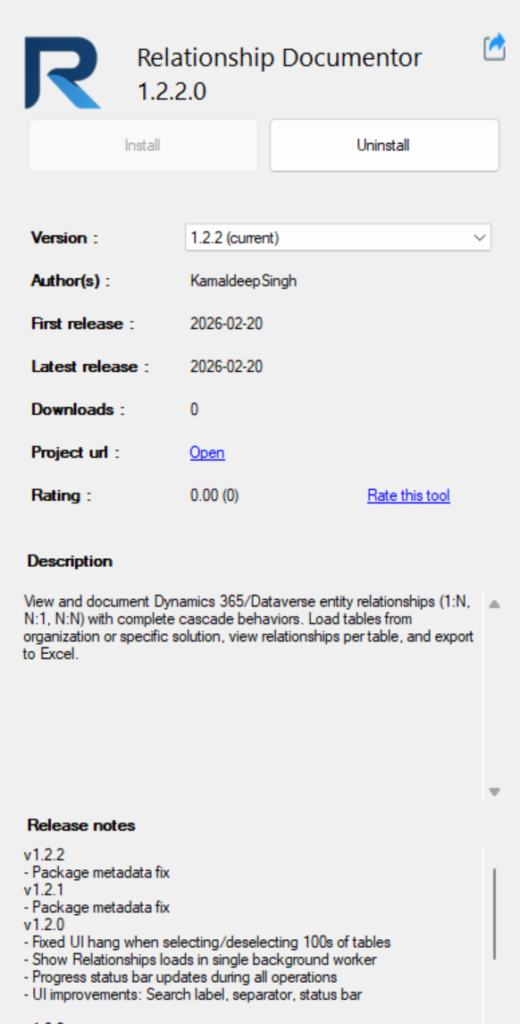
1️⃣ Install the Plugin
Open XrmToolBox and search for:
“Relationship Documentor”
Install the plugin.
2️⃣ Connect Your Environment
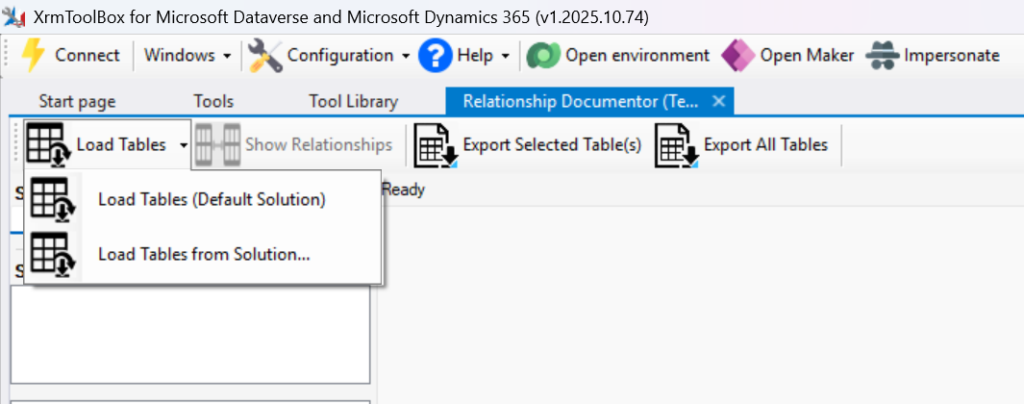
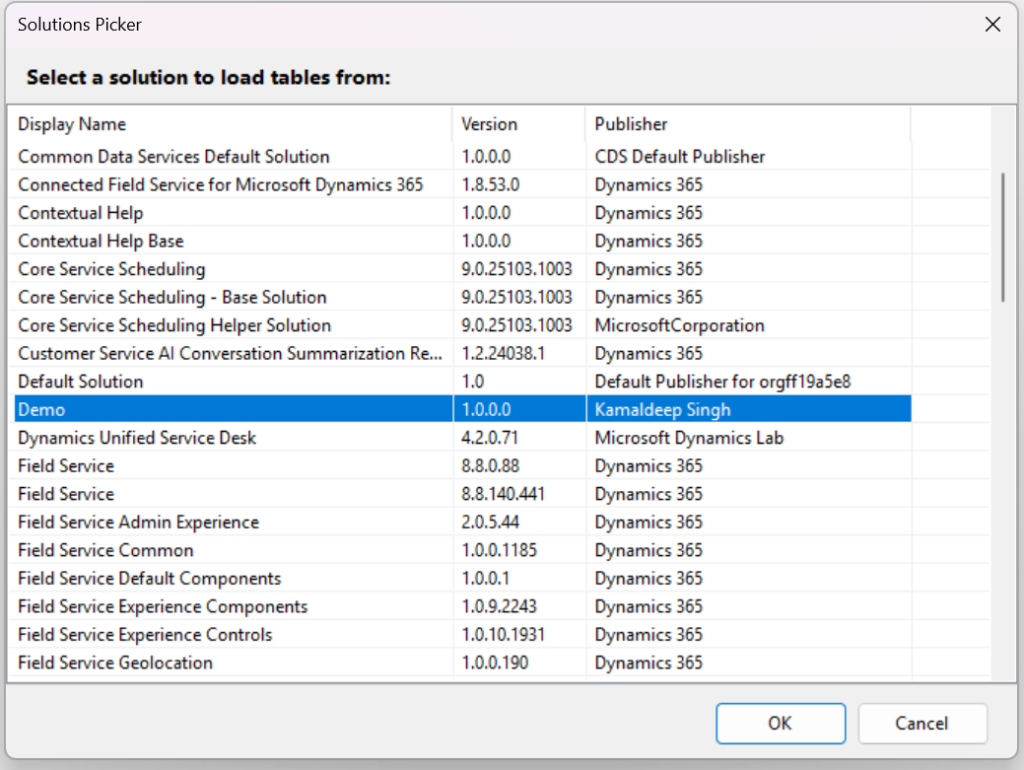
Once connected to your Dataverse environment, you have two options:
• Load tables from the Default Solution (loads all tables)
or
• Select a specific solution to load only tables included in that solution
This helps limit the scope if you only want documentation for certain tables.
3️⃣ Select the Tables
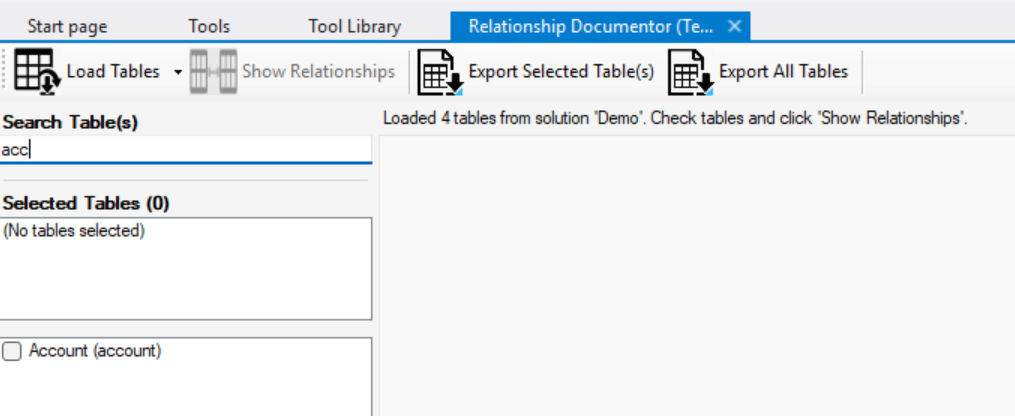
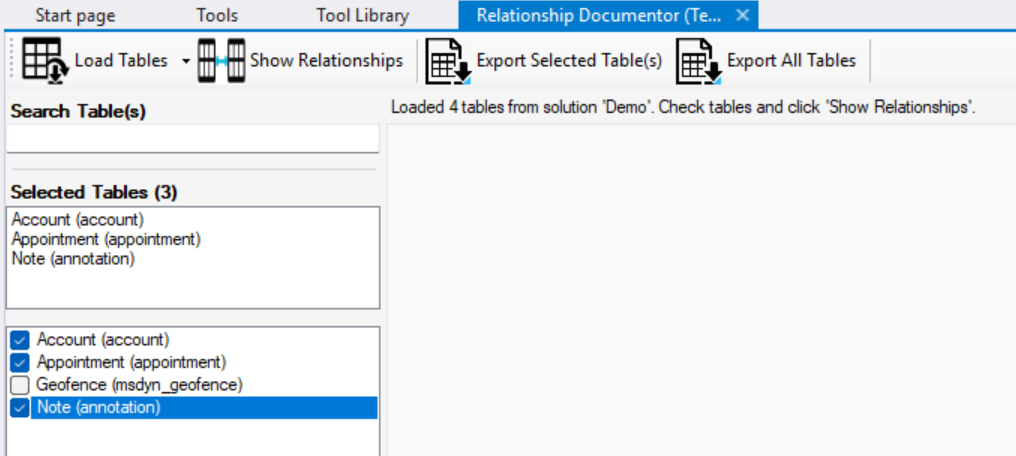
Once the solution is selected, all tables in that solution are loaded. Use the search feature to find and select the tables whose relationships you want to extract.
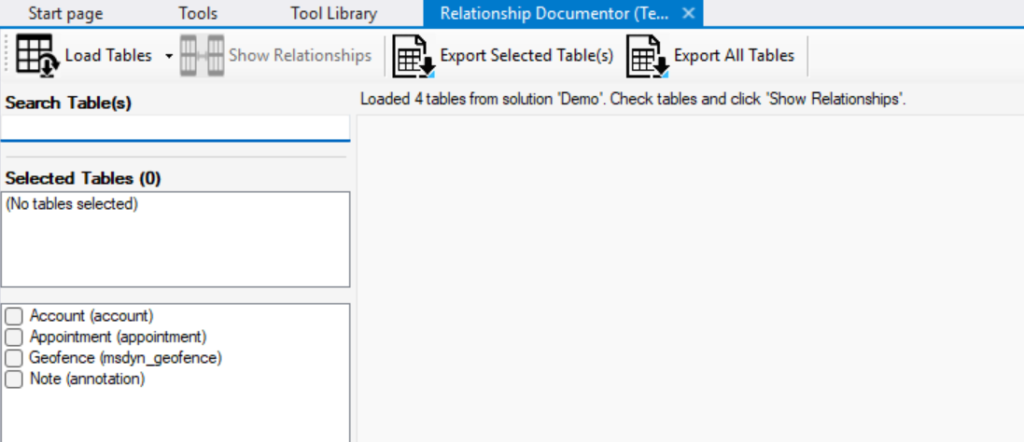
You can select multiple tables at once.
4️⃣ Load Relationships
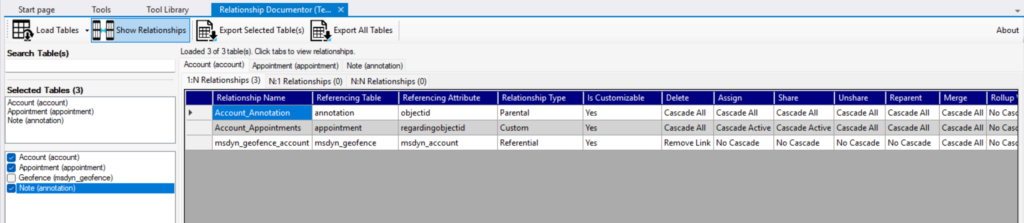
Click Load Relationships.
The plugin will retrieve and display all relationships for the selected tables.
You can then browse them by:
- Table
- Relationship type
- 1:N
- N:1
- N:N
This makes it easy to explore the structure of your environment.
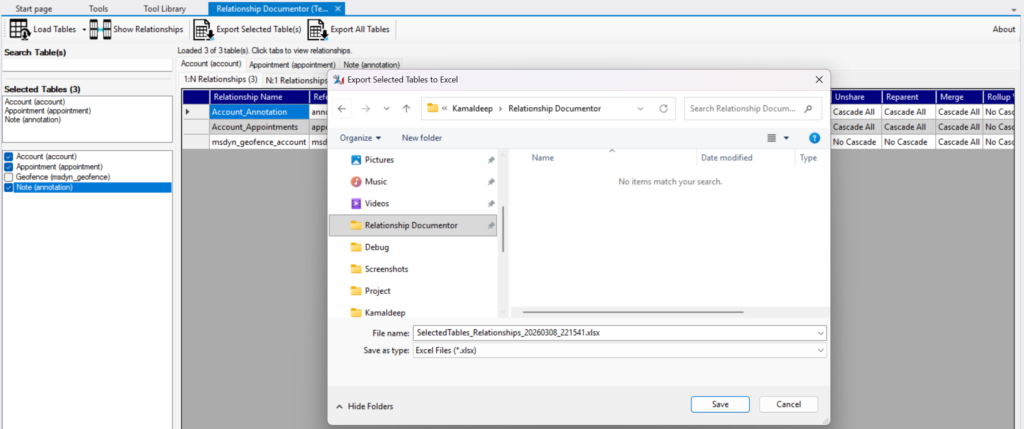
5️⃣ Export to Excel
Once ready, click Export.
You can:
• Export selected tables
or
• Export all loaded tables
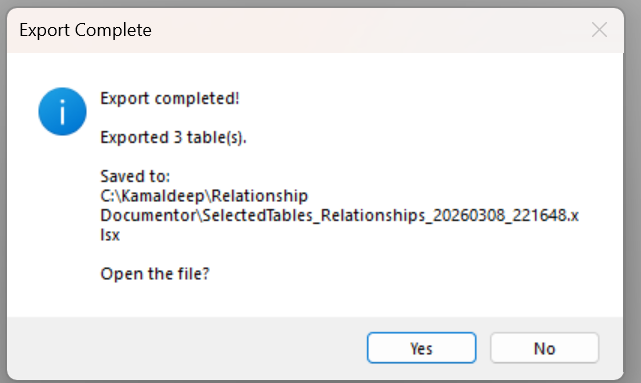
An Excel file will be generated and you will be prompted to save it to your desired location.
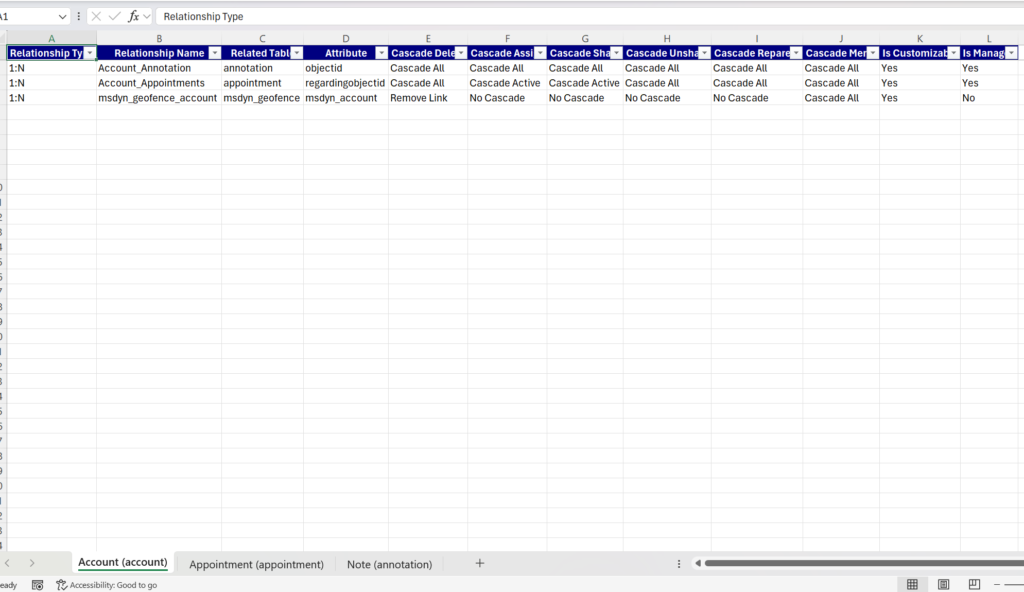
The Excel document contains a structured list of all relationships.
⏱ Performance Notes
Export time depends on the number of tables and relationships.
For example:
I tested exporting ~1900 tables and all their relationships successfully.
It worked perfectly, but naturally took some time to complete.
✅ Recommendation:
Export specific solutions or selected tables whenever possible for faster results.
💡 Why I Built This
In large Dataverse environments, understanding relationships between tables can be difficult.
This plugin was created to make documentation fast, simple, and automated.
No more manual tracking of relationships.
🙏 Final Thoughts
This project required a lot of thinking, learning, and experimentation.
But thanks to modern AI tools and the amazing Dynamics community, I was able to turn the idea into a working plugin.
I hope it helps others save time when documenting Dataverse environments.
If you try it, I’d love your feedback!
#Dynamics365 #Dataverse #XrmToolBox #PowerPlatform #CRMDevelopment #DynamicsCommunity